DevLogBus
Introducing DevLogBus
DevLogBus is a real-time log viewer for full-stack development.
It exists for the part of debugging where the signal is scattered across service
logs, CLI output, Linux journald, browser console messages, runtime
exceptions, network events, and whatever else decided to be important today.
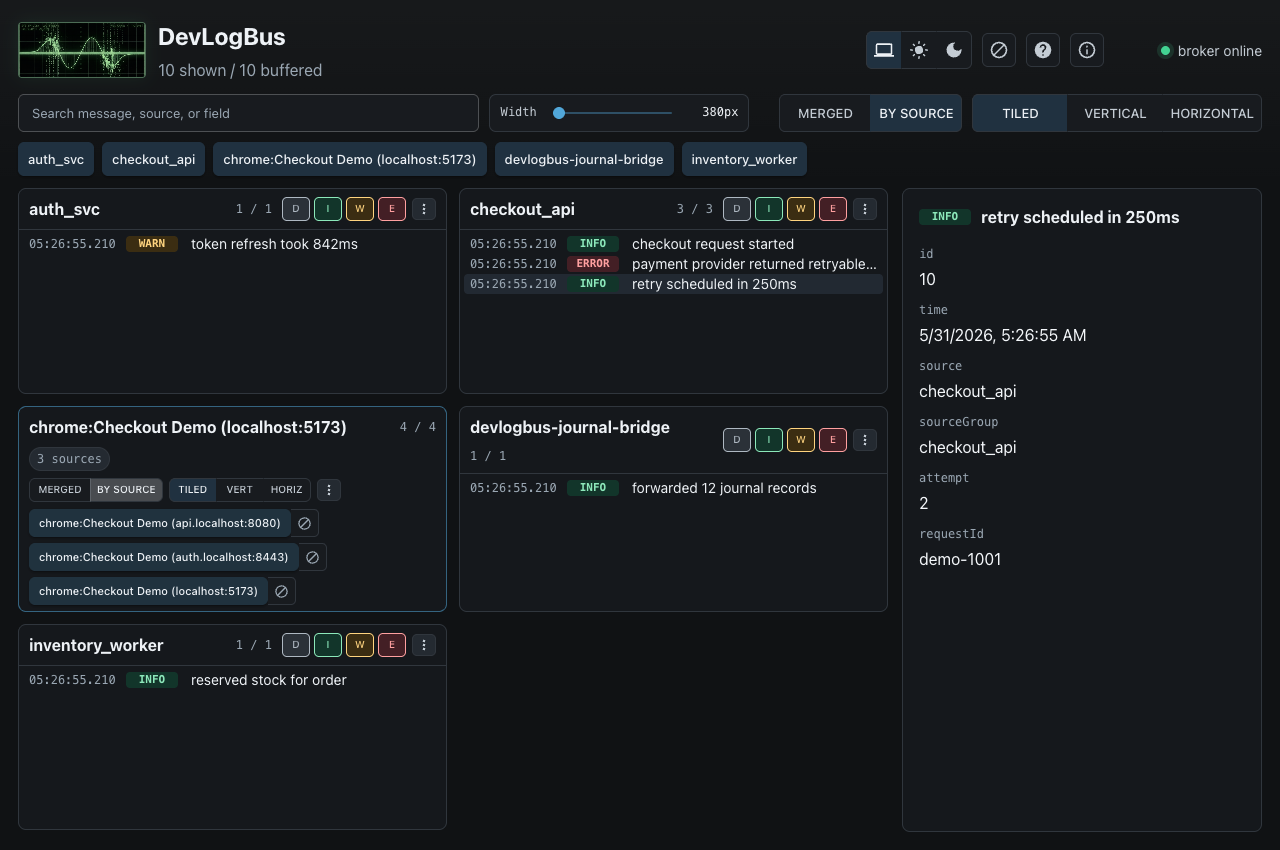
Instead of stitching together five terminals and a browser console, run a local daemon, coalesce those records into one place, and watch them side by side or merged into one timeline in the browser UI or terminal UI.
The Short Version
DevLogBus gives full-stack development workflows one place for:
- backend and service logs
- CLI and terminal UI records
- Chrome console, runtime, browser log, and network events
- Linux
journaldrecords - records published through Go, C, .NET/C#, Rust, Java/Kotlin, Node/TypeScript, and Python SDKs
It is not a production observability platform. It does not try to provide retention, alerting, metrics, tracing, multi-user auth, or a hosted backend.
It is for workstation debugging, private dev boxes, trusted lab networks, and active troubleshooting sessions where frontend, backend, worker, CLI, and system records all need to line up now.
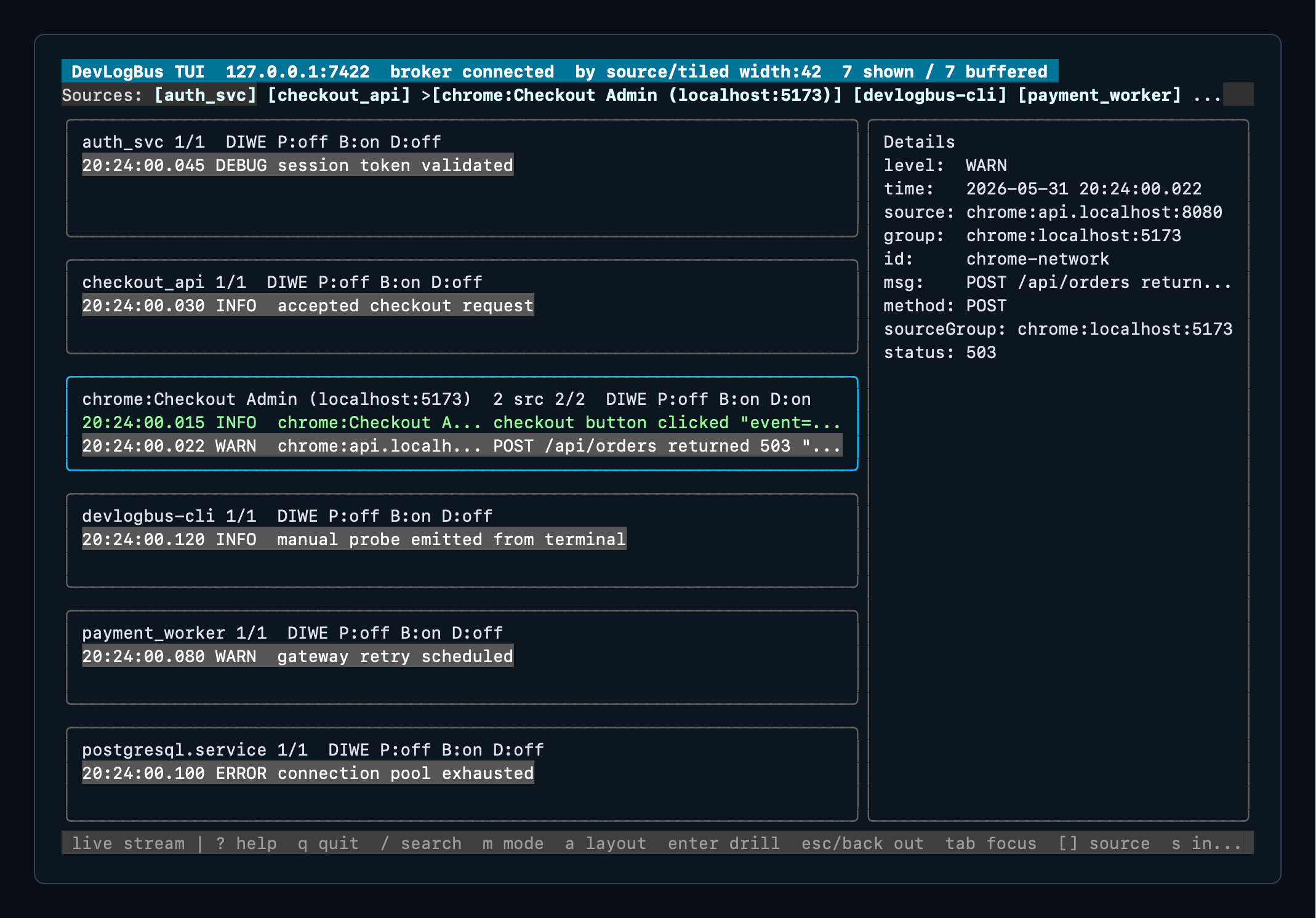
The browser UI is the roomy view for source panes, popouts, and drilldown. The TUI carries the same merged/by-source model into terminal-only development sessions.
Install Fast
Homebrew on macOS or Linux:
brew install dan-sherwin/tap/devlogbus
Scoop on Windows:
scoop bucket add dan-sherwin https://github.com/dan-sherwin/scoop-bucket
scoop install devlogbus
Debian or Ubuntu:
echo "deb [trusted=yes] https://dan-sherwin.github.io/devlogbus-linux-repo/apt stable main" | sudo tee /etc/apt/sources.list.d/devlogbus.list
sudo apt update
sudo apt install devlogbus
Other install paths are documented in Package Managers.
Start It
devlogbusd run
Then open:
http://127.0.0.1:7423/
Emit a test record:
devlogbus emit --source demo --level warn --message "catalog unavailable" --attr service=billing
Browser Plus Backend
Browser Tap is the Chrome extension companion for DevLogBus. Attach it to a tab when browser-side events matter, and it can publish console calls, runtime exceptions, browser log entries, and network request records into the same local stream as backend services and CLI tools.
That is the main point: the button click, the frontend error, the backend log, and the system journal entry can land in one timeline instead of living in separate little caves.
SDKs
SDK install commands are collected in SDK Install.
Published packages are available for:
- Go module packages in
github.com/dan-sherwin/devlogbus - npm:
@dan-sherwin/devlogbus - PyPI:
devlogbus - crates.io:
devlogbus - NuGet:
DanSherwin.DevLogBus.Sdk - Maven Central:
io.github.dan-sherwin:devlogbus
The C SDK is source-distributed for native projects that want a small libcurl
publisher.
User Choice
DevLogBus provides the tools you need to maintain your own security, but it does not force you to use them. The project publishes checksums, signing keys, and verification instructions. Use them as you see fit, because I am not your mother and it is not my job to make sure you wear a damn helmet. That choice belongs to you.
In short, piss on the electric fence if you want. Just don’t act surprised when physics files a bug report on your ass.
Links
- Project: github.com/dan-sherwin/DevLogBus
- Quickstart: quickstart.md
- Why it exists: why-devlogbus.md
- Package managers: package-managers.md
- SDK install: sdk-install.md